
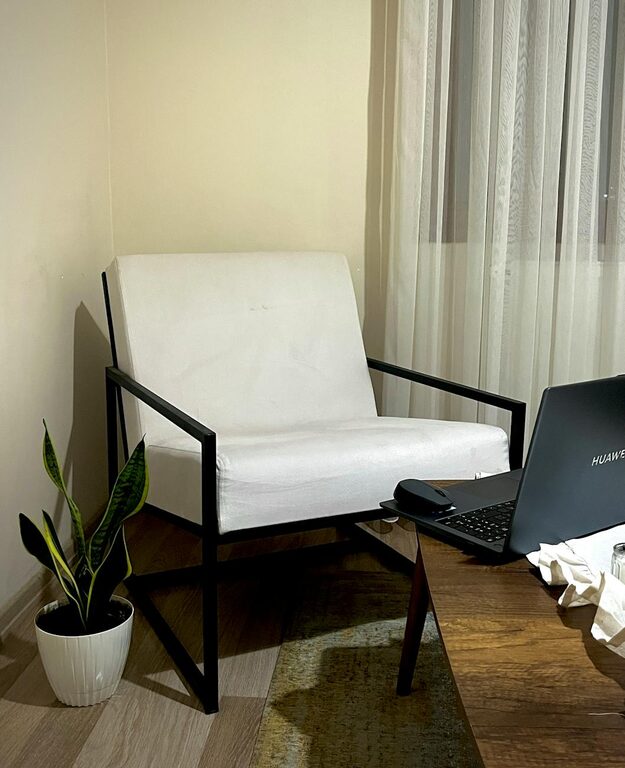
Creating a relaxing home workspace is essential for maintaining focus, reducing stress, and increasing productivity. Whether you work remotely full-time or occasionally need a dedicated spot for tasks, designing a calm and comfortable area can make a big difference. This guide will walk you through practical tips and ideas to transform any corner of your home into a soothing and efficient work environment.
Why a Relaxing Workspace Matters
The environment where you work influences your mood and effectiveness. A cluttered, noisy, or uncomfortable space can cause distractions, stress, and burnout. On the other hand, a peaceful and well-organized workspace can improve concentration, motivation, and overall well-being. Tailoring your home workspace to promote relaxation helps you maintain a healthy balance between productivity and comfort.
Step 1: Choose the Right Location
Pick a spot in your home that aligns with your work habits and needs:
– Natural Light: Position your desk near a window if possible. Natural light boosts mood and energy, helping you stay alert.
– Low Traffic Areas: Select a quiet corner that isn’t frequently disturbed by household activities.
– Space Availability: Ensure there’s enough room for your desk, chair, and any essentials without feeling cramped.
Step 2: Invest in Comfortable Furniture
Comfort is key when spending hours working from home:
– Ergonomic Chair: Choose a chair that supports your back and promotes good posture. Adjustable heights and lumbar support are beneficial.
– Appropriate Desk: Your desk height should allow your arms to rest comfortably, avoiding strain.
– Additional Seating: Consider a cozy chair or small sofa nearby for breaks or brainstorming sessions.
Step 3: Declutter and Organize
A tidy space fosters a tidy mind:
– Minimal Essentials: Keep only items you use daily on your desk.
– Storage Solutions: Use shelves, drawers, or organizers to store papers, cables, and supplies.
– Daily Cleanup: Make it a habit to clear your workspace at the end of each day.
Step 4: Use Calming Colors and Decor
Colors affect mood and productivity:
– Soft Tones: Shades of blue, green, or neutral colors create a calming effect.
– Personal Touches: Add photos, plants, or artwork that inspire and soothe you.
– Avoid Overcrowding: Keep decorations minimal to prevent overstimulation.
Step 5: Control Lighting and Sound
Proper lighting and noise levels enhance focus:
– Layered Lighting: Combine overhead lights with desk lamps for balanced illumination.
– Adjustable Brightness: Use dimmers or smart bulbs to adapt light intensity throughout the day.
– Sound Management: Use noise-canceling headphones, white noise machines, or soft background music to block distractions.
Step 6: Incorporate Plants and Natural Elements
Bringing nature indoors helps reduce stress:
– Low-Maintenance Plants: Succulents, snake plants, or pothos thrive indoors with minimal care.
– Natural Materials: Use wooden desk accessories or stone decorations to add warmth.
– Nature-Inspired Scents: Essential oils like lavender or eucalyptus can promote relaxation (use with care).
Step 7: Create a Routine and Boundaries
A relaxing workspace is also about how you use it:
– Set Work Hours: Define clear start and end times to avoid overworking.
– Take Regular Breaks: Step away from your desk to stretch or walk around.
– Limit Distractions: Turn off non-essential notifications and communicate boundaries with household members.
Additional Tips for Ongoing Comfort
– Adjust Temperature: Keep the room at a comfortable temperature to avoid discomfort.
– Hydrate and Snack Mindfully: Have water and healthy snacks nearby.
– Keep Tech Organized: Manage cords and chargers to prevent a tangled mess.
—
Final Thoughts
Building a relaxing home workspace doesn’t require a big budget or a separate room. By thoughtfully selecting your location, furniture, colors, and daily habits, you can create an environment that helps you work efficiently while feeling calm and refreshed. Start small, experiment with what works for you, and enjoy a more balanced work-from-home experience.