
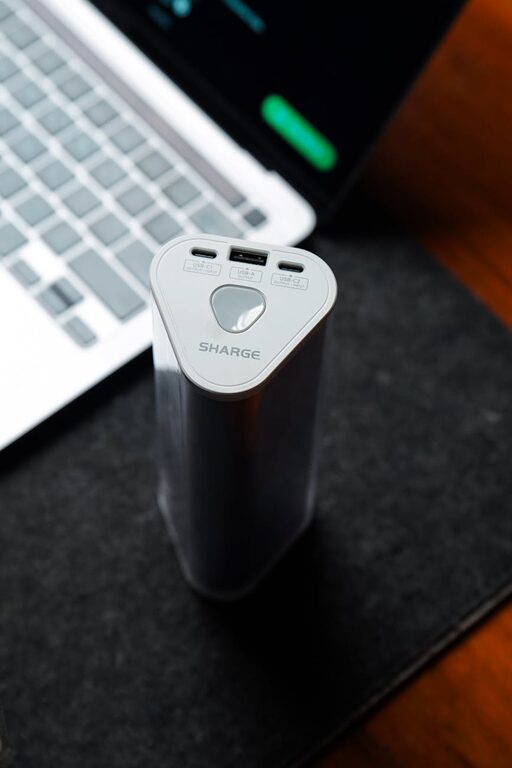
Setting up a dedicated charging station is a great way to keep your devices powered, organized, and easily accessible. Whether you have smartphones, tablets, smartwatches, or other gadgets, having one place where all your electronics can recharge reduces clutter and saves time. In this guide, we’ll walk you through the process of creating an efficient charging station at home.
Why Set Up a Charging Station?
With multiple devices needing frequent charging, cables and chargers can quickly create a mess. A charging station offers several benefits:
– Organization: Keeps all devices and cables in one spot.
– Convenience: Easily charge multiple devices simultaneously.
– Safety: Reduces the risk of damaged cables or devices due to tangled cords.
– Aesthetics: Creates a clean, tidy appearance on your desk or countertop.
Choosing the Right Location
Start by selecting a spot for your charging station. Consider these factors:
– Accessibility: Choose a place frequently visited, like the living room, kitchen, or home office.
– Power availability: Ensure there’s a power outlet nearby for plugging in chargers.
– Surface space: Look for a flat, stable surface that can hold your devices comfortably.
– Ventilation: Avoid enclosed areas to prevent overheating of chargers or devices.
Tools and Materials Needed
Before assembling your charging station, gather the following:
– Power strip or multi-port USB charger
– Cable organizers (clips, ties, or sleeves)
– Charging dock or stand (optional)
– Storage box or tray
– Labels (optional)
– Velcro strips or adhesive hooks (optional)
– Device-specific chargers and cables
Step 1: Choose a Power Source
Select a power source that suits the number of devices you plan to charge. Options include:
Multi-Port USB Chargers
These chargers allow you to plug multiple USB devices into a single outlet, reducing cable clutter. Look for models with enough ports and intelligent charging capabilities to protect your devices.
Power Strips
If your devices need different types of plugs, use a power strip with surge protection. This option accommodates chargers with various plug types.
Step 2: Organize Your Cables
Cable management is key for a neat charging station. Here are some tips:
– Use cable clips: Attach these to the edge of your table or surface to hold cables in place and prevent them from falling.
– Label your cables: This helps identify which cable belongs to which device, especially in shared spaces.
– Group similar cables: Use cable ties or sleeves to bundle cables together for a cleaner look.
– Shorten excess cable length: Use cable organizers to avoid long, tangled cords.
Step 3: Select Device Holders or Stands
Adding holders or stands keeps your devices upright and easily viewable while charging.
– Multi-device charging docks can hold several phones or tablets in one compact space.
– Individual stands work well if your devices have different sizes or shapes.
– DIY options like using small boxes or trays to keep devices separate also work well.
Step 4: Arrange and Secure Your Station
Put your power source and device holders in place on your chosen surface.
– Position the power strip or charger so cables can reach devices comfortably.
– Use adhesive hooks or velcro strips to secure power adapters and cables underneath or behind the surface.
– Place storage trays nearby for extra accessories like earbuds, cables, or power banks.
Step 5: Maintain Your Charging Station
To keep your charging station functional and tidy:
– Regularly check cables and chargers for wear or damage.
– Unplug devices once fully charged to save energy.
– Clean the area to remove dust and debris.
– Update chargers and cables to match new devices.
Bonus Tips
– Consider wireless charging: If your devices support it, a wireless charging pad can reduce the number of cables needed.
– Portable charging stations: For travel or temporary setups, use compact chargers and cases designed for easy transport.
– Safety first: Avoid overloading power outlets and use surge protectors to protect devices from electrical damage.
Conclusion
Setting up a charging station is an easy way to simplify your tech life and reduce clutter. By carefully choosing your location, managing cables, selecting the right chargers, and maintaining your setup, you can ensure your devices are always ready to go. Start organizing your charging station today and enjoy a tidy, efficient space for your gadgets!